
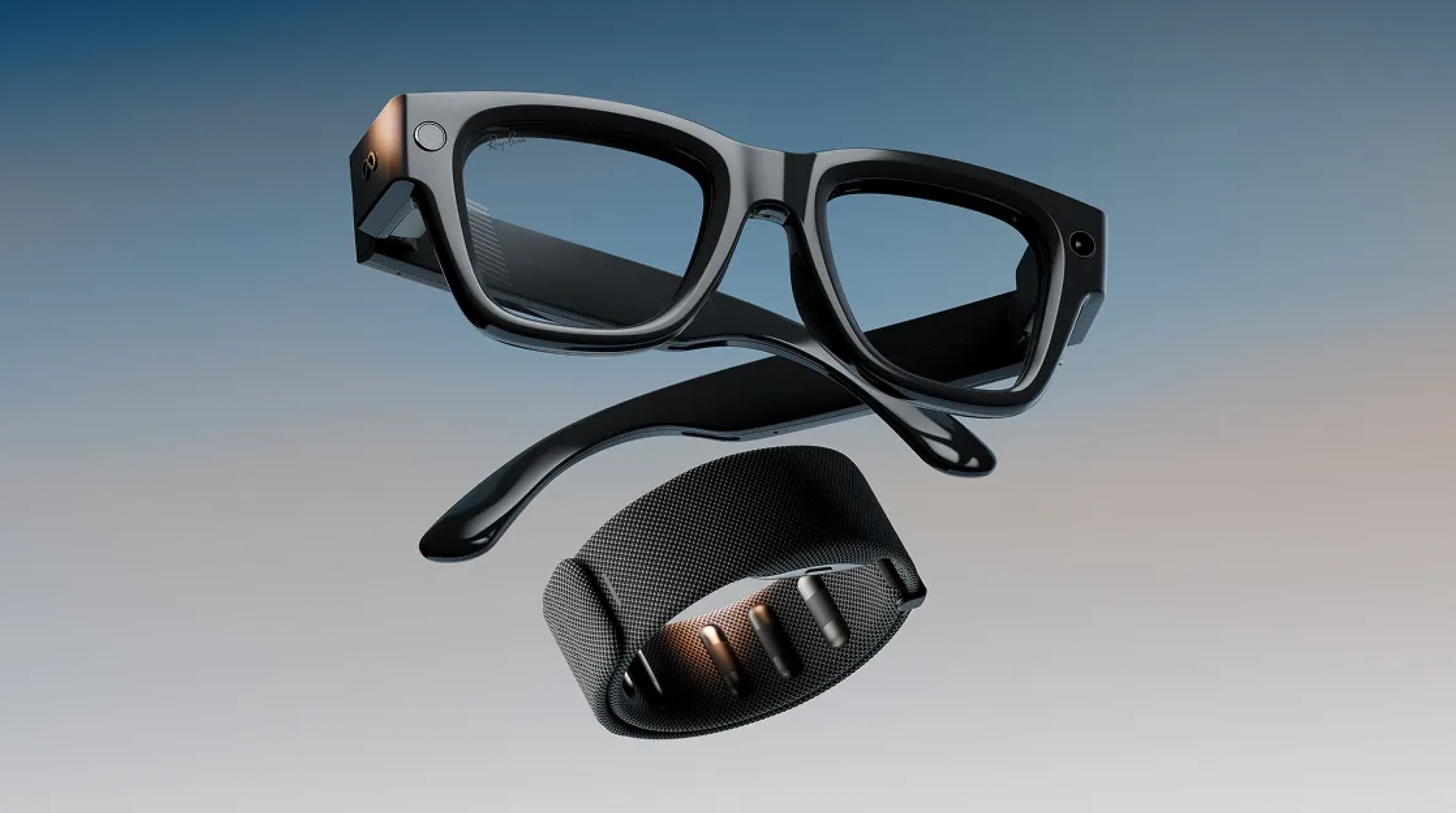
The category spans from audio-only frames that look like standard sunglasses to full augmented reality glasses with waveguide displays. What they share is a computer built into the frame, connected to AI processing and designed for all-day wear.
This guide covers 13 concrete use cases, the hardware that makes each one possible and what to realistically expect from the devices available in 2026.
Read along or jump to the section that interests you the most:
How Do Smart Glasses Actually Work?
Smart glasses are wearable computers built into eyeglass frames. They connect to a smartphone for AI processing, app management and cellular data, then deliver output through speakers, a display or both. The hardware stack is considerably more complex than the slim frame suggests.
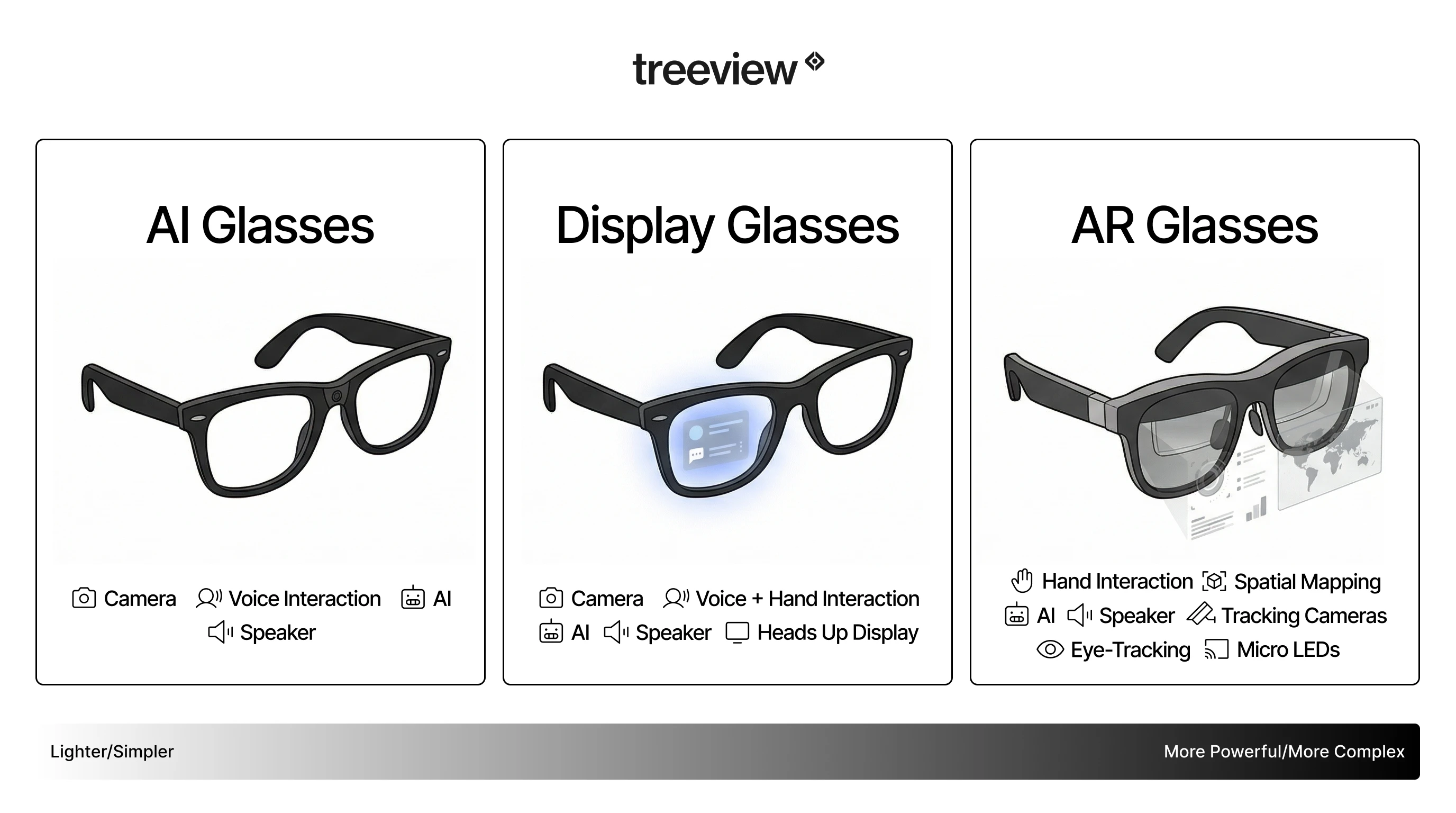
The fundamental split in the category is between audio-first glasses, which have no display but include speakers, microphones and cameras, and display-enabled AR glasses, which project information into the wearer’s field of view. Understanding which type a device belongs to determines which of the use cases below it can actually support.
A third tier arrived at Meta Connect 2026. The Ray-Ban Meta Audio ships with no camera at all, which rules out object identification, visual translation and first-person capture while keeping audio, calls and voice AI intact.
That absence is a feature for some buyers. Sites that ban recording can deploy it where no other frame passes review.
Most current smart glasses require a paired smartphone. Cloud AI inference, navigation, translation and app functions all run over the phone connection. On-device processing handles lightweight tasks: wake-word detection, basic commands and local sensor fusion. Standalone 5G integration is on manufacturer roadmaps, but the infrastructure for full AI capability without a phone is not yet broadly deployed. For a deeper look at the hardware and how these devices compare, see the complete guide to smart glasses for 2026.
What Are the Core Hardware Features of Smart Glasses?
System-on-Chip (SoC)
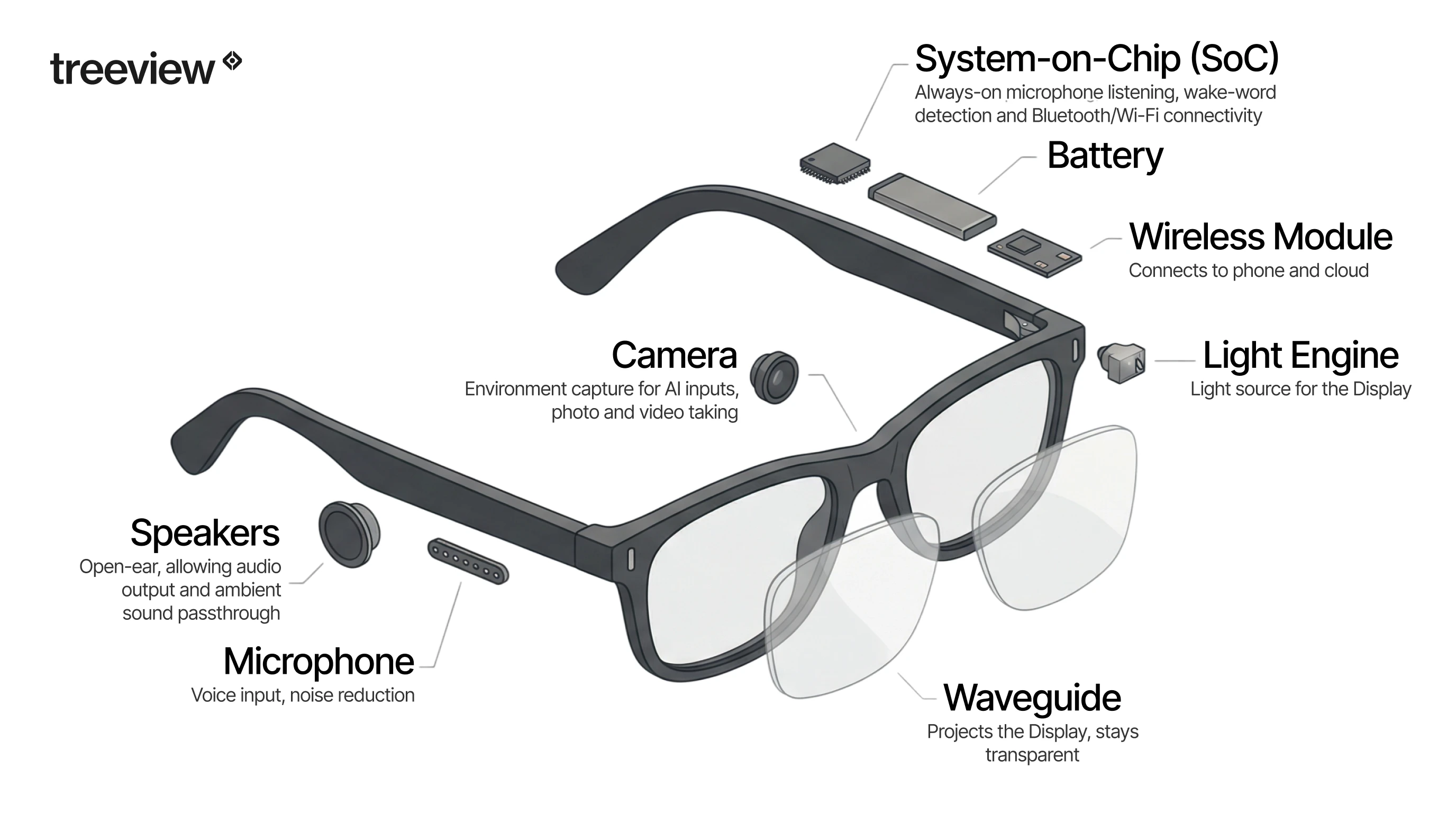
Smart glasses run a dedicated system-on-chip. Audio-first devices like the Ray-Ban Meta use a Snapdragon AR1 Gen 1, optimized for low power draw while handling always-on microphone listening, wake-word detection, camera capture and Bluetooth connectivity.
AR glasses require a more powerful SoC to handle display rendering on top of that workload. Some manufacturers, including XREAL, offload heavy compute to a paired phone or PC via USB-C instead of running it fully on-device.
Waveguide Display Technology
AR and XR glasses require a light engine, typically a micro-LED or micro-OLED projector, and a waveguide: a thin piece of glass engineered to bounce projected light toward the eye while remaining transparent to the real world. Waveguide technology is the primary engineering constraint limiting field of view and outdoor visibility in current AR glasses.
Most consumer waveguide displays achieve a field of view of 30 to 50 degrees, compared to human peripheral vision of approximately 200 degrees. The shift from micro-OLED to MicroLED is the next major display transition: MicroLED can achieve over 10,000 nits of brightness, which is required to compete with direct sunlight. Current micro-OLED displays top out around 1,000 to 3,000 nits. That gap is why most AR glasses today work well indoors and struggle in bright daylight.
Multimodal AI Processing
The defining capability of the current generation is multimodal AI: the ability to process what the camera sees and respond via voice in real time. The user asks “What is this plant?” or “Read me that sign” and the glasses answer through the open-ear speakers. This creates a shared visual context between the wearer and the AI model, which is what separates smart glasses categorically from Bluetooth earbuds. The camera works as an active input to the AI system.
Open-Ear Audio
Open-ear speakers are standard across current smart glasses. They deliver audio while allowing ambient sound through, which is what makes glasses practical for commuting and outdoor use. At moderate volume, open-ear audio is audible to people nearby at approximately one to two meters, which has privacy implications for enterprise deployments.
Battery Life
Battery ratings moved up through 2026. The Ray-Ban Meta Gen 3 is rated at 9 hours, with 50 more from the case. Gen 2 claims 8 hours and the camera-free Ray-Ban Meta Audio 12, both with 48 from the case.
Continuous camera and AI use drains every one of them far faster than the headline figure. For enterprise deployments requiring all-day use, battery management and charging infrastructure are practical constraints to address at the deployment planning stage.
13 Things Smart Glasses Can Do
1. Hands-Free Navigation, Commuting and Daily Errand Running
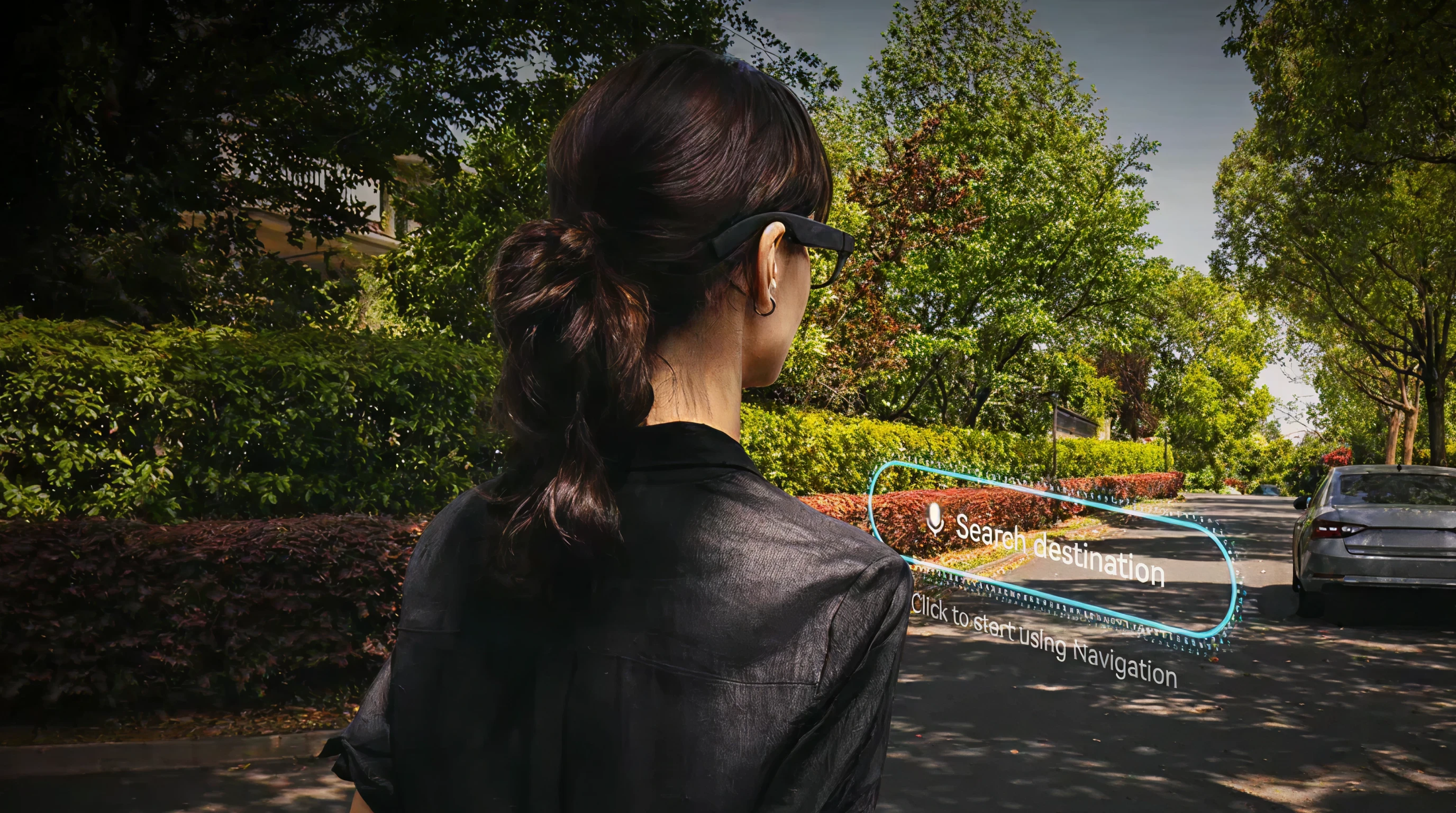
Smart glasses deliver turn-by-turn directions through audio cues and, on display-enabled models, subtle visual overlays at the edge of the field of view. The difference versus phone navigation is physical: the head stays up, both hands stay on the handlebars and the route appears without a glance down. For cyclists and runners, even a one-second look at a wrist mount is a real distraction on a busy road. Audio-first models handle this entirely through voice. Display models from RayNeo or Rokid add a persistent directional indicator in the peripheral field of view.
Beyond active navigation, the value of smart glasses for daily commuting is cumulative. A commuter who receives a notification without pulling out a phone saves a few seconds. One who checks a calendar reminder without slowing down saves a few more. Across a full day, that friction reduction is measurable in both time and attention. Audio-first glasses handle this through voice feedback and discreet audio cues. Display-enabled models add visual notifications visible only to the wearer, functioning as a persistent, low-intrusion ambient display for daily information management.
The glasses replace the phone screen for the subset of interactions that do not require actually looking at the phone, which turns out to be a large proportion of daily screen checks. The XR market statistics report tracks consumer adoption trends in this segment if you want supporting data for internal business cases.
2. Live Translation of Text and Speech

Display-enabled smart glasses overlay translated text directly onto menus, signs and written materials in real time. The wearer looks at a sign in Japanese, French or Arabic and reads the translation in their own language without raising a phone.
The underlying technology combines optical character recognition for printed text with real-time speech processing for spoken language, both fed through a cloud or on-device translation model. Speech-to-text translation in noisy environments is more variable: accuracy depends on microphone quality, ambient noise levels and connectivity. Current implementations handle quiet conversations reliably.
3. Hands-Free Photography and Video from a First-Person Perspective

Smart glasses capture photos and video from a natural, eye-level perspective without the wearer raising a hand or interrupting a moment. The resulting footage has a quality phone video rarely achieves: it looks like the world as the wearer was actually experiencing it, because it is.
This is both a consumer benefit and a professional one. Field researchers, enterprise workers conducting site inspections and documentary filmmakers all benefit from having both hands free and a fixed, head-mounted camera angle. Most camera-equipped smart glasses include physical controls or voice commands to trigger capture without touching the frame.
4. Open-Ear Audio for Music, Calls and Podcasts

Audio-first smart glasses function as a wearable speaker system built into the frame. The wearer listens to music, takes calls and follows podcasts without inserting earbuds, keeping full ambient awareness intact.
This is the primary use case for the broadest segment of the market. Open-ear audio glasses fit commutes, walking and light outdoor activity better than noise-isolating headphones in environments where situational awareness matters. The audio quality on leading models has reached a level where most users consider it an acceptable trade for the convenience of not managing a separate device. Battery life and audio leakage at higher volumes remain the main practical limitations.
5. Advancing Contextual AI: What Project Aria Does
Before smart glasses can reliably identify objects, understand context or respond to natural queries, the AI models powering those features need training data captured from a human point of view at scale. That is what Project Aria provides.
Project Aria is Meta’s research program using dedicated research glasses, the Aria Gen 2 glasses, worn by participants in everyday environments. The glasses capture first-person audio, video and sensor data including spatial audio, multiple camera feeds, eye tracking and inertial sensor input. The resulting open-source datasets, including the Ego-Exo4D dataset covering both first-person and third-person perspectives of the same activities, are released for researchers working on computer vision, scene understanding and contextual AI.
The connection to consumer products is direct. The features that allow current smart glasses to identify what a wearer is looking at, or to respond intelligently to questions about a scene, depend on egocentric AI models trained on exactly this kind of data. This type of foundational AI work is also what separates spatial computing as a platform shift from a simple gadget category.
6. Fitness Tracking and Real-Time Performance Monitoring
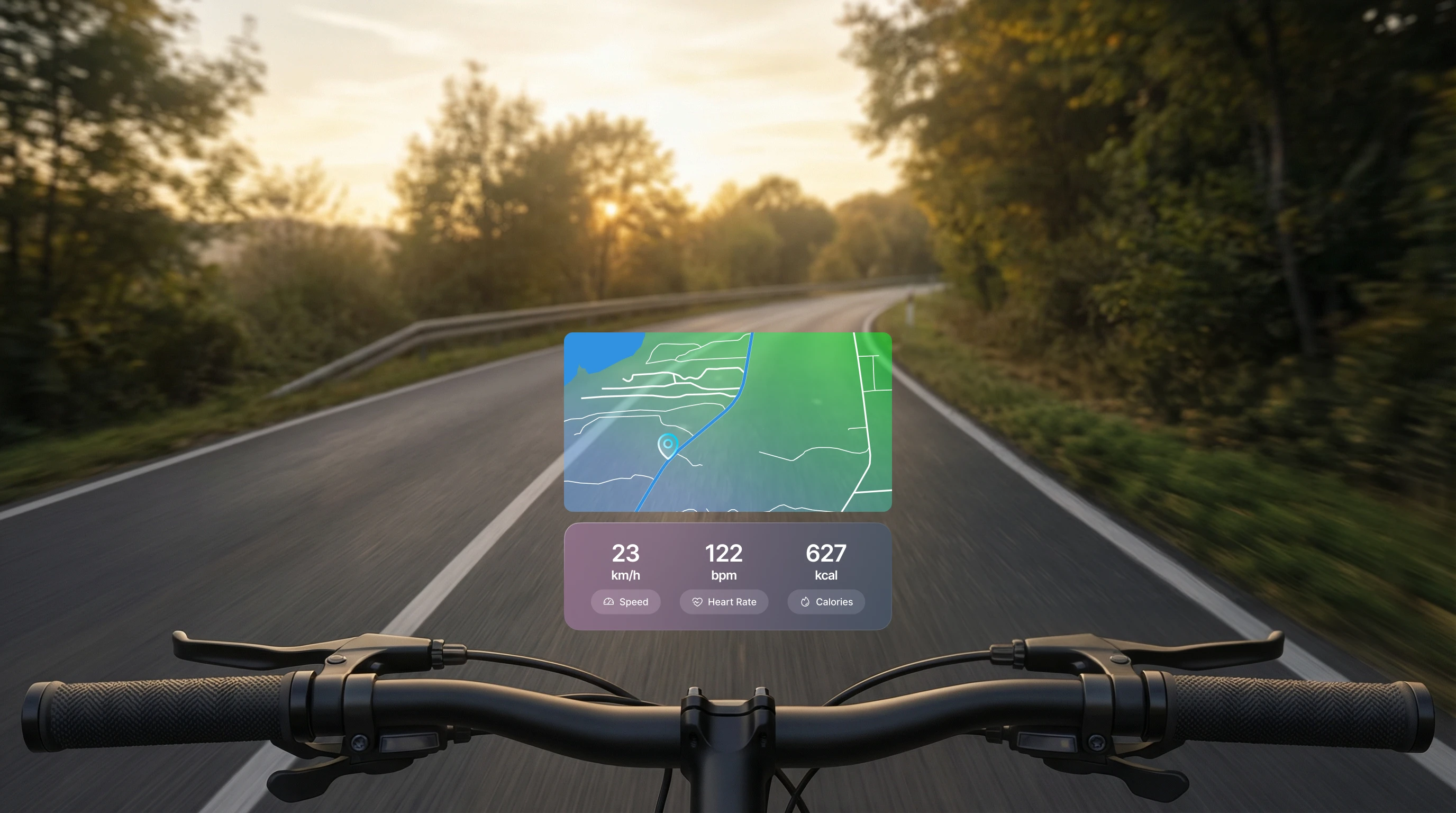
Smart glasses with display capability project fitness metrics directly into the line of sight during workouts. Pace, heart rate via a paired sensor, cadence and distance appear as a persistent overlay, visible without a glance to a wrist or a gesture to wake a screen.
The practical benefit is small but real: a runner does not break stride to check a watch. A cyclist on a technical descent keeps eyes on the road while staying aware of their current effort level. For endurance athletes training with heart rate zones, having the metric continuously visible removes a small friction that accumulates across a two-hour session. Current limitations include battery drain during extended workouts and display legibility in direct sunlight, both active areas of hardware development.
7. Teleprompter and Presentation Aid
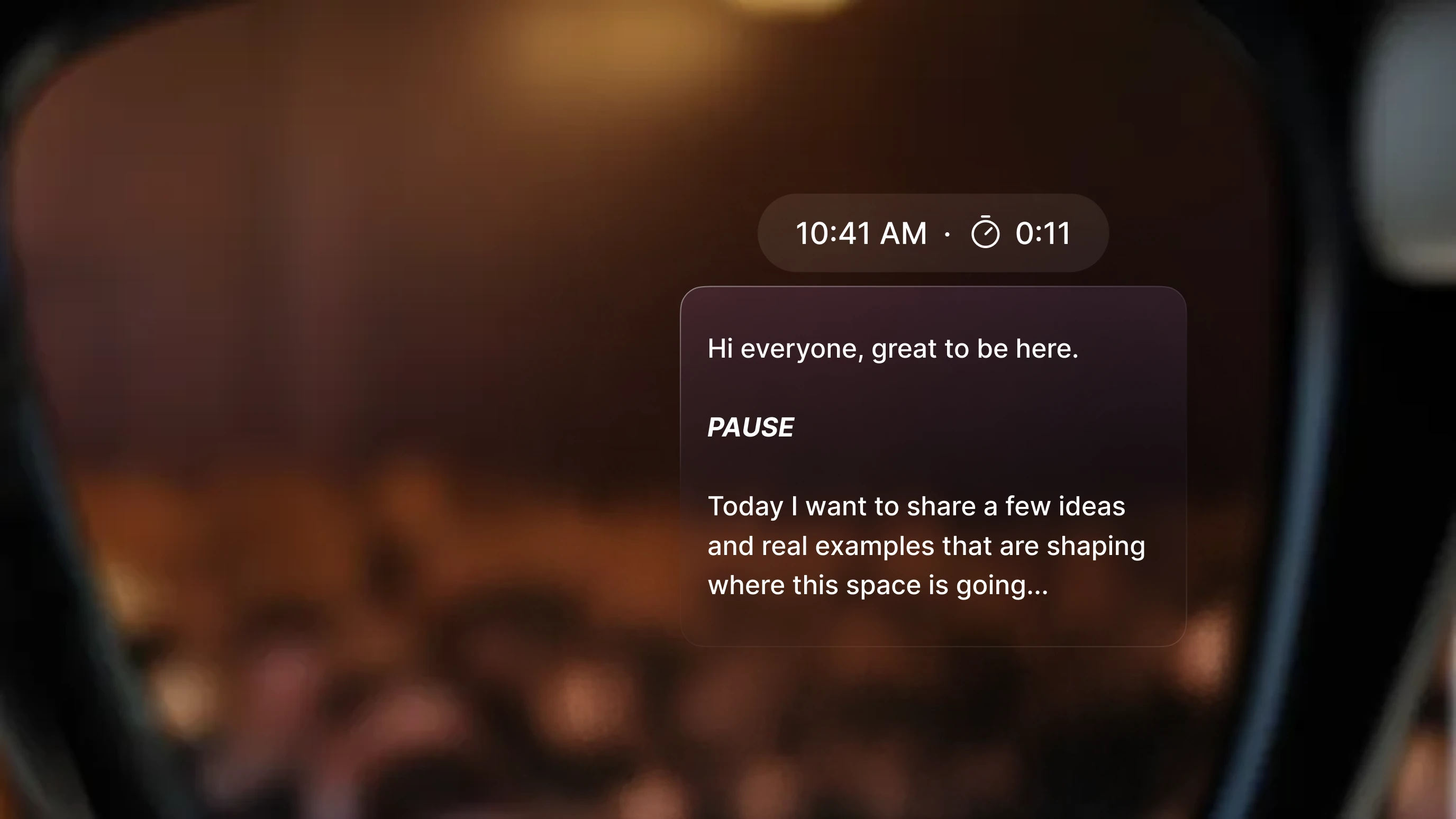
Smart glasses serve as a discreet teleprompter during presentations, media appearances and broadcast segments. A script or outline scrolls in the wearer’s field of view while they maintain natural eye contact with the audience.
This is a meaningful capability for executives presenting at events, journalists conducting on-camera interviews and broadcast professionals doing live appearances where a physical teleprompter would be visible or impractical. The key advantage over traditional teleprompter setups is that the glasses require no dedicated hardware installation and no screen the audience can notice. Voice-activated scrolling or gesture controls keep the interaction invisible. The use case requires a display-enabled model with sufficient field-of-view quality to read text clearly in variable lighting.
8. Accessibility for Low Vision and Hearing Impairment

For hard-of-hearing users, live caption overlays translate spoken conversation into readable text in the field of view without requiring the other person to do anything differently. The conversation appears as subtitles in real time, turning ambient speech into something readable without disrupting the interaction.
For low-vision and blind users, Be My Eyes is available on Meta AI Glasses, developed in partnership with Meta engineers, making it the first and only accessibility application for blind and low-vision users on the platform. With a voice command, a user can call a Be My Eyes volunteer, who sees through the glasses camera and provides audible feedback through the open-ear speakers. The wearer can also toggle between the glasses camera and the smartphone camera mid-call, for example to read fine print or get a wider-angle view, with a double push of a button.
Meta added a hearing enhancement feature at Connect 2026, cleared by the FDA for adults and sold as a $149.99 one-time purchase. It reaches US buyers later in 2026 on the Ray-Ban Display and extends to the Gen 3 and Audio frames, with FSA and HSA funds eligible.
That is a category shift, not a feature bump. It moves the frames from an accessibility accessory toward a regulated hearing device.
9. Hands-Free Cooking and Step-by-Step Recipe Following
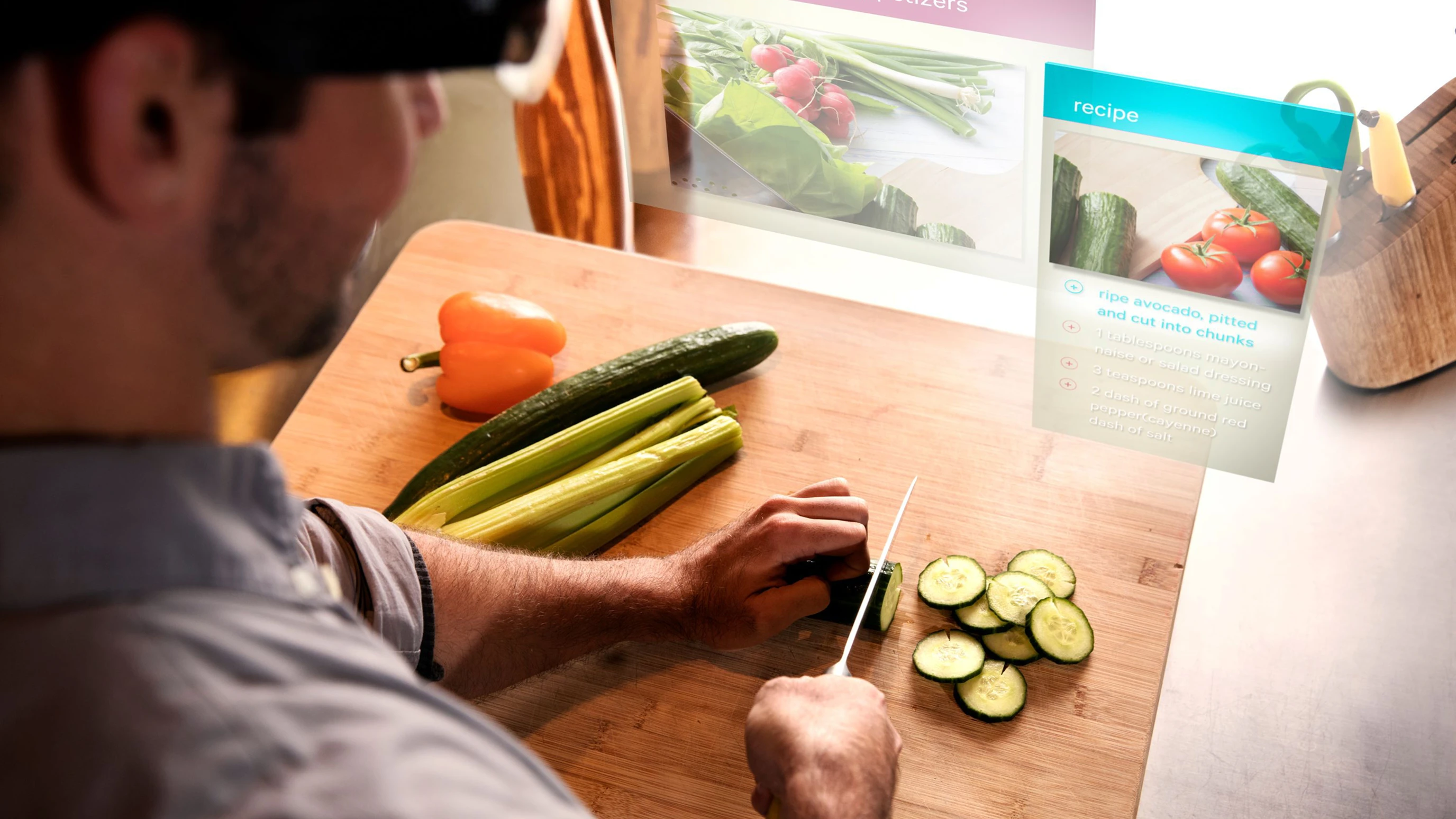
Following a recipe while cooking requires checking a screen repeatedly with wet or messy hands. Smart glasses replace this with voice-controlled step advancement, timer integration and unit conversion, all without touching a phone or tablet.
The wearer says “next step,” “set a timer for eight minutes” or “how many grams is a cup of flour” and receives the response through audio or a text overlay. The same interaction pattern extends to professional contexts: field technicians following diagnostic checklists, surgeons referencing procedure steps, assembly workers following visual instructions without pausing to consult a fixed screen. The core value is hands-free, eyes-forward access to structured information exactly when it is needed.
10. Office Productivity, Second Screen and Meeting Support
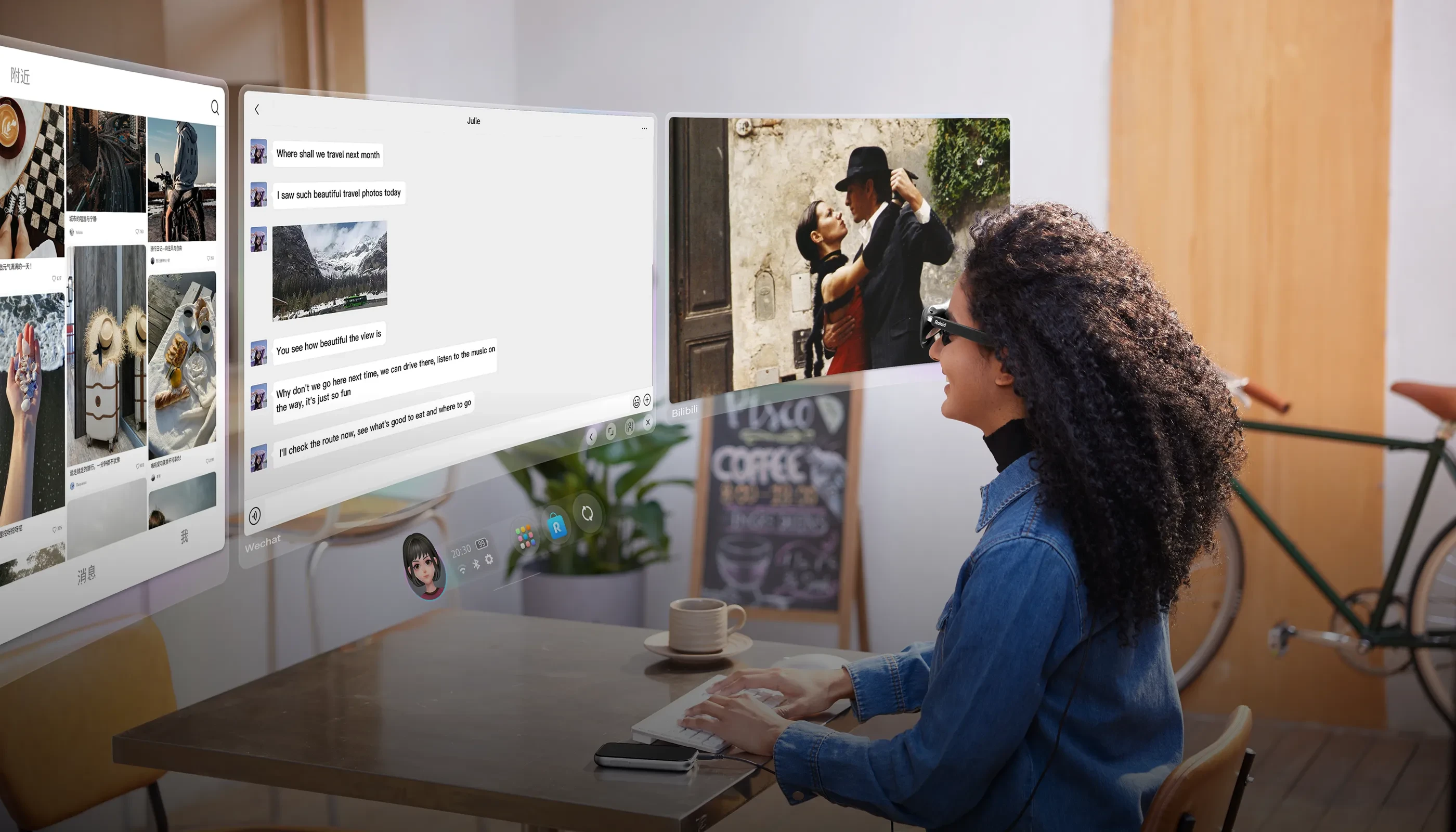
Smart glasses add a discreet layer of information to professional environments without the visual intrusion of a laptop or phone. Agenda items appear at the edge of the field of view during meetings. Live captions display speaker identification in real time where supported. Post-meeting summaries generated by on-device AI reduce follow-up admin work.
Display-enabled smart glasses go further, turning any physical space into a multi-screen workspace. A field technician can reference a wiring diagram anchored in space next to the equipment they are working on. A remote worker on a flight can open three floating browser windows, a document and a video call without carrying a monitor.
Devices like XREAL, Rokid and the upcoming XREAL Aura running Android XR can place full applications side by side in the wearer’s field of view, making the physical desk optional rather than required. Studios already shipping against that device are ranked among the top XREAL Aura app development companies. Virtual screen size varies by model and field of view, typically equivalent to a 50-inch display at a few meters, scaling up depending on the hardware.
For teams evaluating mixed reality development for enterprise workflows, the productivity and meeting support segment is often the first internal use case to build a business case around.
11. Live Captions and Subtitles
Live subtitles and captions are not exclusively an accessibility feature. They are also useful for people with normal hearing in noisy environments, loud venues, non-native language conversations and situations where clarity matters but audio is unreliable. A user at a busy conference can follow a one-on-one conversation through text when background noise makes listening difficult.
The technical requirement is low-latency speech-to-text processing. Latency under 500 milliseconds makes subtitles feel natural and synchronized with speech. Above that threshold, the visual text and the spoken audio diverge noticeably and the experience becomes harder to follow than simply listening. Current implementations on premium devices handle this well in clean audio environments. Noisy conditions remain the reliability ceiling for this use case.
12. AI-Powered Guides at Venues, Theme Parks and Attractions
One of the most concrete demonstrations of contextual AI in smart glasses comes from a prototype developed with Disney Imagineering’s R&D team. A guest wearing AI-connected glasses could ask natural questions about nearby rides, food options matching dietary requirements and merchandise availability. The AI proactively flagged short wait times and nearby points of interest as the guest moved through the park, without any screen tap or search query required.
This is what ambient AI means in practice. The system has awareness of the guest’s location, their visual context and their expressed preferences, then surfaces relevant information at the exact moment it is useful. The response arrives through audio or a subtle display overlay as part of the natural flow of movement through a physical space.
The implications extend well beyond entertainment. Museums, hospitals, large corporate campuses, retail environments and industrial facilities share the same underlying need: delivering the right information to a person at the exact moment and location where it is relevant. Smart glasses with contextual AI are the first wearable platform capable of handling this reliably. This pattern of layering intelligent guidance over physical environments is what the top AR work instructions companies already build for industrial sites.
13. Identifying the World Around You
Point-of-gaze object identification is the use case that pulls together the hardware and AI capabilities of smart glasses most clearly. The wearer looks at a plant, a landmark, a dish on a restaurant menu, a product on a shelf, a document in a foreign language or a piece of industrial equipment, and receives information about it immediately through audio or a display overlay.
The camera sees what the wearer sees. The AI model identifies the object, retrieves relevant information and delivers a response as a natural extension of looking at something.
The trajectory is clear: each hardware and model generation improves both speed and accuracy. This capability is likely to become the defining use case for smart glasses as a category within the next two to three years.
Which Smart Glasses Do Each of These Things?
The capabilities above do not live in a single device. Here is a practical map of which form factors cover which needs, and the makers behind each tier are compared in the best smart glasses companies review.
Audio-only models (Ray-Ban Meta Gen 3): open-ear audio, hands-free calls, ambient AI, hands-free photography, commute and notification management, basic fitness audio feedback.
Camera-free models (Ray-Ban Meta Audio): open-ear audio, calls and voice AI with no camera, which rules out identification and capture but clears sites that ban recording.
AI + HUD models (Brilliant Labs Halo): bone-conduction audio, contextual AI and short text on a color OLED-on-silicon display.
Display-enabled consumer models (Meta Ray-Ban Display, RayNeo, Even Realities, XREAL, Rokid): all audio capabilities plus navigation overlays, live translation, fitness metrics, teleprompter, second-screen display, subtitle overlays and object identification with visual response.
Accessibility-specific devices (XanderGlasses, Hearview): live captioning for hearing-impaired users, purpose-built for sustained daily wear with captioning as the primary function.
Developer platforms (Android XR from Google, Meta Wearables Device Access Toolkit): full application development support, enterprise integrations, spatial context and augmented or mixed reality overlays for professional use cases. Partners working on the Google side are listed among the top Android XR development companies.
Teams moving from evaluation to a build scope smart glasses app development against one device tier first, because capability maps to hardware far more tightly here than it does on mobile. Treeview’s enterprise XR project work covers deployments across several of these tiers.
Frequently Asked Questions About What Smart Glasses Can Do
Q1. What can smart glasses do in 2026?
Smart glasses in 2026 can play audio without earbuds, overlay navigation and information on the physical world, translate text and speech in real time, identify objects by sight, caption live conversations, track fitness metrics, run AI assistants that respond to what the wearer sees and serve as a wearable second screen. Capabilities vary by model, from camera-free audio frames to full AR display devices. The best smart glasses review maps 15 models onto those tiers.
Q2. Do smart glasses need a phone to work?
Most consumer smart glasses pair with a phone for connectivity, cloud AI processing and app access. Audio-first glasses require a Bluetooth-connected phone for calls, navigation and AI features. Some display-enabled models have limited standalone modes. Fully independent operation at full AI capability requires 5G edge computing infrastructure that is not yet broadly deployed.
Q3. What is the difference between smart glasses and AR glasses?
Smart glasses is a broad category covering any eyewear with electronics built in, including audio-only devices. AR glasses, or augmented reality glasses, specifically include a display that overlays digital content onto the real world using HUD or waveguide optics. All AR glasses are smart glasses, but not all smart glasses are AR glasses. AR sits inside the broader mixed reality and spatial computing hierarchy, which is where the category boundaries actually get drawn.
Q4. What is waveguide technology in smart glasses?
A waveguide is a thin piece of engineered glass that guides projected light from a micro-LED or micro-OLED source to the wearer’s eye while remaining transparent to the real world. It is the core optical component in AR glasses displays. Current consumer waveguides achieve a field of view of 30 to 50 degrees. MicroLED waveguides capable of over 10,000 nits of brightness represent the next major display transition, addressing the outdoor visibility gap in current hardware.
Q5. Can smart glasses translate languages in real time?
Yes. Display-enabled smart glasses support real-time translation of printed text using optical character recognition. Speech translation is available on leading models, with accuracy depending on noise levels and connectivity. Text translation of menus, signs and documents is generally reliable. Speech translation in noisy environments varies significantly by hardware quality and processing architecture.
Q6. Are smart glasses useful for people with hearing impairment?
Yes. Devices like XanderGlasses display live captions of spoken conversation directly in the wearer’s field of view. This allows hard-of-hearing users to follow live conversations without requiring the other person to change behavior or use a separate device. These are deployed consumer products, not experimental prototypes.
Amplification arrived separately. Meta’s FDA-cleared hearing feature reaches US buyers later in 2026 as a paid add-on to the Ray-Ban line.
Q7. What is Project Aria?
Project Aria is Meta’s egocentric AI research program. It uses Aria Gen 2 research glasses to capture first-person audio, video and sensor data from participants in everyday environments. The resulting open-source datasets, including Ego-Exo4D, train the AI models that power object identification, scene understanding and ambient awareness in consumer smart glasses. The program is the research infrastructure behind contextual AI in the current generation of devices.
Q8. Can smart glasses work as a teleprompter?
Yes, with a display-enabled model. The script or outline scrolls in the field of view while the wearer maintains eye contact with the audience. Voice-activated or gesture-based scroll controls keep the interaction invisible. This use case requires a display with sufficient clarity to read text comfortably in variable ambient lighting.
Q9. What are smart glasses used for in enterprise settings?
Enterprise applications include remote assistance with a live expert camera feed, step-by-step procedure guidance for technicians and surgeons, training simulations, real-time data overlays in manufacturing and logistics, and contextual AI guidance in complex physical environments. The Disney theme park prototype, where AI-connected glasses proactively surfaced queue times and nearby points of interest as guests moved through the park, demonstrates the same model applied to guest experience at scale.
Q10. Which AR glasses platform is best for enterprise development?
The right platform depends on the target hardware, existing infrastructure and the specific use case being built. In 2026, the main development options are the Meta Wearables Device Access Toolkit for Meta AI Glasses, the Google Android XR SDK for Android XR devices, the RayNeoOS Open SDK for RayNeo hardware, the Brilliant Labs Frame SDK for the Frame glasses and Snap Lens Studio for SPECS.
The Meta toolkit reached a stable 1.0 release on September 30, 2026. End-user distribution is still closed, so a finished build reaches testers instead of customers, and that belongs in any deployment plan built on it.
Snap runs the opposite trade. Its Lens platform ships to a large consumer audience, and the agencies working there are ranked among the top Snap SPECS app development companies.
For organizations building custom enterprise smart glasses applications, the top AR development companies list is a useful starting point for identifying experienced studio partners. Working with a studio that has shipped enterprise AR products shortens the path from concept to deployed application considerably.
Q11. How do smart glasses identify objects?
The onboard camera captures what the wearer sees. A multimodal AI model, running in the cloud via a smartphone connection or on-device for lightweight tasks, identifies the object and retrieves relevant information. The result is delivered through audio or a display overlay in the wearer’s field of view. Current accuracy is strongest for consumer products, landmarks and printed text, with weaker performance on niche objects and long-distance identification.
Q12. What are the main limitations of smart glasses today?
Battery life, display brightness in direct sunlight, audio leakage at higher volumes, weight for extended daily wear and variable AI accuracy in uncontrolled environments are the primary constraints. The smartphone dependency for cloud AI processing is also a practical limitation for deployments requiring offline operation. Form factor acceptance in professional settings varies significantly depending on how closely the glasses resemble standard eyewear.
Q13. Do smart glasses work with prescription lenses?
Several manufacturers offer prescription lens compatibility, either through integrated prescription inserts or custom prescription versions of the frame. Meta Ray-Ban glasses are available with prescription lenses through standard optical retailers. Display-enabled models vary: some support prescription inserts that sit behind the waveguide lens, others do not yet offer a fully integrated prescription solution. This is an active area of product development across the category, as it directly affects daily wearability for a large portion of the addressable market.
Q14. How are smart glasses different from VR/MR headsets?
Smart glasses are designed for continuous, eyes-open wear in the real world. They add audio or visual information on top of the physical environment without replacing it. VR headsets block out the real world entirely and replace it with a fully digital environment. Mixed reality headsets sit between the two: they use passthrough cameras to show the real world while layering fully interactive 3D digital content over it, with far greater spatial fidelity and processing power than smart glasses, but in a form factor designed for focused sessions rather than all-day wear.
The three technologies serve different use cases and exist as siblings under the broader spatial computing umbrella. For a full comparison of the hardware categories and where they overlap, see the complete guide to virtual reality and the difference between AR/VR and Spatial Computing.
Q15. Which companies develop apps for smart glasses?
Enterprise smart glasses applications are typically built by specialized spatial computing development studios rather than general software agencies, because the development stack requires XR-specific expertise in 3D rendering, spatial UI design, computer vision and platform SDKs. Studios with relevant enterprise track records include Treeview, which has shipped smart glasses and AR applications for clients including Microsoft, Medtronic and Daiichi Sankyo. The wider field is ranked among the top smart glasses app development companies.