The leading AR and VR education companies institutions hire in 2026 are Treeview, VictoryXR, ClassVR, Labster and zSpace. Behind them sit a 360 authoring tool, a shared virtual campus and classroom libraries already carrying immersive content.
Most of what a school wants already exists. ClassVR publishes over 100,000 immersive resources and VictoryXR lists more than 170 filmed field trips in one subscription, so most catalog questions settle before anyone writes a brief.
The rest is the subject matter no catalog contains, and that is where the budget goes.
This page sorts the market by what each company delivers, covering devices, classroom deployment, curriculum integration and customization. It treats interactive textbooks, science simulations and virtual field trips as three separate buying problems.
What AR and VR Education Companies Build
AR and VR education companies deliver one of four things: a custom application, a classroom platform, a content library or an authoring tool. Each puts cost and control in a different place.
A custom application is commissioned for one institution. You specify the interaction model and the target device, and the studio delivers software you own. This layer overlaps with general VR development companies.
Platforms bundle headsets, content and a teacher console into one contract. Libraries sell mapped simulations by course or by seat, and authoring tools sell your faculty the means to produce content themselves. That last option is cheap per asset and expensive in staff time.
Institutions routinely buy the wrong layer.
A department needing one accurate molecular dynamics simulation has no use for 100,000 resources. The argument for the narrower buy is easier to make when the committee understands how virtual reality works as a delivery medium instead of a product category.
How VR Classroom Deployment Works Across Devices
Classroom deployment succeeds or fails on device management. School IT teams ask first who charges, updates, locks and monitors the headsets, and the answers separate this market cleanly.
ClassVR ships the device itself, selling education headsets with lockable charging cases and a portal showing every student view live. zSpace drops the headset and runs AR and VR on a stylus-driven screen.
Platform vendors take the opposite position, leaving the hardware choice to the school. VictoryXR runs on most major VR headsets plus Windows and Mac, with licenses that follow the student. ENGAGE XR documents installation on Google Chromebooks, so a cohort can join without a headset.
Custom developers target specific platforms because the interaction model depends on them. Meta Quest developers build against hand tracking and passthrough, while Apple Vision Pro developers design for eye and pinch input.
Device choice outlives the contract that pays for it, so read the XR and smart glasses market statistics before committing to a fleet. Tier pricing and hardware generations both move every year.
AR in Education: Interactive Textbooks and What Ships Today
Interactive textbooks reach classrooms as standalone AR content, not as software that recognizes a printed page and overlays it. This is the widest gap in the category between demand and delivery.
What does exist is substantial.
ClassVR's Eduverse libraries include 3D objects students examine in augmented reality on a tablet. ThingLink builds annotated 360 scenes that behave like an enriched chapter, and Nearpod threads AR moments through a lesson. All three replace the page instead of augmenting it.
Print-marker AR, where a camera recognizes a textbook illustration and animates it, is technically routine. That same image-target mechanism drives what AR work instructions companies put onto physical equipment every day.
The obstacle is commercial: publishers control the print rights, print runs turn over slowly, and the marker set breaks the moment an edition changes.
For an enriched textbook, commission the AR layer from a studio already shipping image-target work. Scope it to one edition with a publisher agreement in place, and capable AR development companies will build it.
The wider set of augmented reality applications shows the mechanism is mature. Where the goal is student understanding, the 3D object library still wins, and I would take it almost every time.
Virtual Science Labs and VR Science Simulations
Virtual science labs come in two shapes: catalog simulations mapped to a syllabus, and custom simulations built because the catalog holds nothing accurate enough.
Both are legitimate purchases.
Labster holds the catalog end, with hundreds of simulations browsable by course, by concept and by skill. Skills are matched to the NGSS, ACS and AAPT frameworks a curriculum committee recognizes.
The custom end starts where the mapping stops. A chemistry program modeling a reaction pathway no vendor has built needs the simulation written to its own specification.
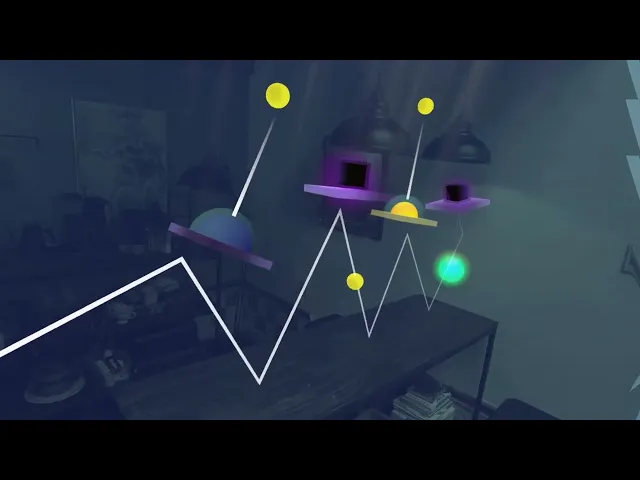
Treeview's mixed reality physics education work shows the shape of that, with learners applying Newton's laws to puzzles that respond to the geometry of the room they stand in. No seat license satisfies that requirement.Newton's Room v64 Update: gameplay captured on Meta Quest 3, showing physics puzzles played against the walls and furniture of a real room.
Accuracy is the dividing line.
A catalog simulation stays illustrative at the edges, which suits a first-year lab, while a commissioned one can be held to the underlying mathematics.
Virtual Field Trips: License a Catalog or Author Your Own
Virtual field trips divide into licensed catalogs of professionally filmed locations and authoring tools that let a teacher build the trip. The choice turns on whether your destination has already been filmed.
VictoryXR's Global Traveler is the reference catalog, listing over 170 field trips shot in 360 at real locations and hosted by a named science teacher. It ships with the labs subscription.
ClassVR takes a wider approach, framing its Eduverse 360 images and videos as field trips inside a library curated against the teaching curriculum.
Authoring is the other half of the market. ThingLink publishes a dedicated virtual field trips product for the case a catalog cannot serve: the local river, the regional museum, the plant twenty minutes from campus.
Start with what you already own. Many schools pay for Nearpod or something like it, and the first move is to check that library against the trips teachers want. License a catalog for famous and remote destinations, author the local ones and budget the teacher time honestly.
Curriculum Integration and Customization: What Separates These Companies
Curriculum integration and customization decide fit. Device support, pricing and catalog size are easy to compare and rarely change the answer.
Curriculum integration means a stated mapping to something a committee recognizes. Labster's matching to NGSS, ACS and AAPT is the strongest version, Nearpod's ESSA documentation is the classroom equivalent, and ClassVR curates Eduverse against the teaching curriculum. A vendor with no mapping leaves that work on your desk.
Customization runs on a spectrum. Configuration adjusts an existing simulation, authoring lets faculty produce content inside a toolchain such as ThingLink, and commissioned production has a vendor build to your specification.
Custom development writes the application itself, which is where Treeview and the wider set of mixed reality development studios operate. Cost and control move in opposite directions along that spectrum. Institutions underestimate the staff time authoring consumes.
Deployment burden decides whether the program survives its second year, and ownership settles what you hold when the contract ends. Sound mixed reality design practices are what keep that asset running once the hardware generation turns over.
Compare Education Platforms, Content Libraries and Custom XR Developers

# | Company | Layer in the stack | Core offering | Best suited to |
1 | Treeview | Custom XR developer | Built-to-spec mixed reality and spatial apps | Science with no accurate simulation available |
2 | VictoryXR | Classroom VR platform | Lab library plus 170+ filmed 360 field trips, device-agnostic | Labs and field trips from one subscription |
3 | ClassVR | Managed classroom hardware | Education headsets plus Eduverse content and device control | IT teams running headset carts |
4 | Labster | Virtual science lab courseware | Framework-mapped simulations sold by course | Simulations that slot into an existing syllabus |
5 | zSpace | Classroom hardware without headsets | AR and VR on a stylus-driven screen | Districts that have ruled out headsets |
6 | ENGAGE XR | Shared social VR campus | Synchronous classrooms down to Chromebook access | Distributed cohorts taught together live |
7 | Axon Park | AI-native learning platform | Curriculum-aligned production plus adaptive delivery | Content built to a curriculum and instrumented |
8 | ThingLink | 360 and immersive authoring | Annotated 360 scenes, virtual field trips, XR publishing | Local places nobody has filmed yet |
9 | Nearpod | Classroom lesson platform | Standards-aligned lessons with 360 field trips | One immersive moment inside a lesson |
1. Treeview

Treeview builds custom mixed reality and spatial applications for institutions whose subject matter has no accurate simulation on the market. The education work ships on Meta Quest and Apple Vision Pro.
Newton's Room is a mixed reality physics application where learners apply Newton's laws to puzzles that adapt to the physical room. It runs on Meta's Presence Platform using color passthrough, scene understanding and the hand interaction SDK.
Inviewer is a spatial science simulator library running real-time simulations across education, engineering and data visualization. Apple featured it in the Vision Pro App Store as a top Science Education resource. Projects are commissioned one at a time, so the institution owns the software.
Best for: the science has no accurate simulation on the market and the institution must own the result.
2. VictoryXR
VictoryXR is the broadest single subscription in classroom VR, holding both the lab library and the field trip catalog under one license. That combination is unusual in this market.
VXRLabs runs hands-on labs and simulations on most major VR headsets plus Windows and Mac, with multiplayer sessions and licenses that follow the student instead of the device. Global Traveler adds over 170 field trips filmed in 360 at real locations.
Each trip covers five or more sites in six to ten minutes, guided by a named science teacher, with the whole class sharing one virtual theater. The catalog extends into career and technical education, an AI lesson library and separate bundles for K-12, higher education and homeschool buyers.
Best for: the labs and the field trips come from one subscription and the class shares one session.
3. ClassVR (Avantis Education)
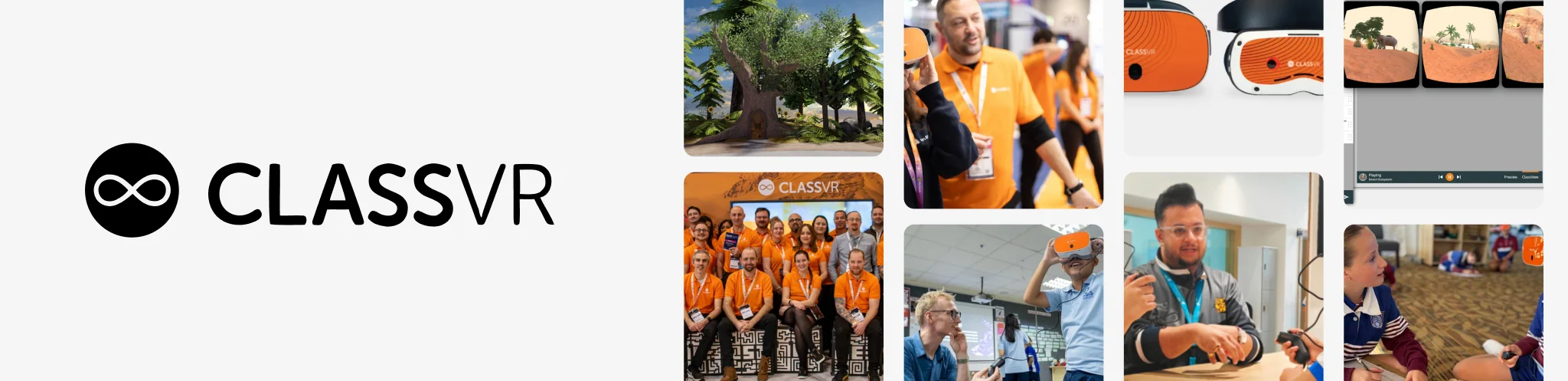
ClassVR sells the whole classroom deployment, which is the part most schools underestimate. Hardware, content, training and device management arrive as one package from one vendor with one support line. Avantis Education won a King's Award for Enterprise in 2026.
The hardware side is education-specific headsets, rugged lockable charging cases and centralized management with remote monitoring. A teacher portal adds real-time visibility and control of every student view. Product tiers run as Xcelerate and Xplorer.
The Eduverse libraries hold over 100,000 immersive VR and AR resources. Those span explorable scenes, 3D objects in augmented reality and 360 media framed as virtual field trips. Segment pages run from primary and high school through further education and SEND.
Best for: an IT team managing a cart of headsets across classrooms with nobody sideloading anything.
4. Labster

Labster is the courseware answer to virtual science labs, where the unit of purchase is a mapped simulation attached to a course. Buyers pay by course and by seat.
Hundreds of immersive lab simulations cover biology, chemistry and physics, browsable by course, by learning concept and by skill. Skills are matched to NGSS, ACS and AAPT frameworks, which is the concrete curriculum integration a committee will ask for. Searching by skill matters more than searching by title.
Interactive 3D chemistry models sit alongside the lab runs. UbiSim extends the approach into customizable VR nursing simulation, and the company publishes its own efficacy research with student-perception figures for cell biology lab education.
Best for: the simulation has to slot into a syllabus and survive an NGSS or ACS audit.
5. zSpace
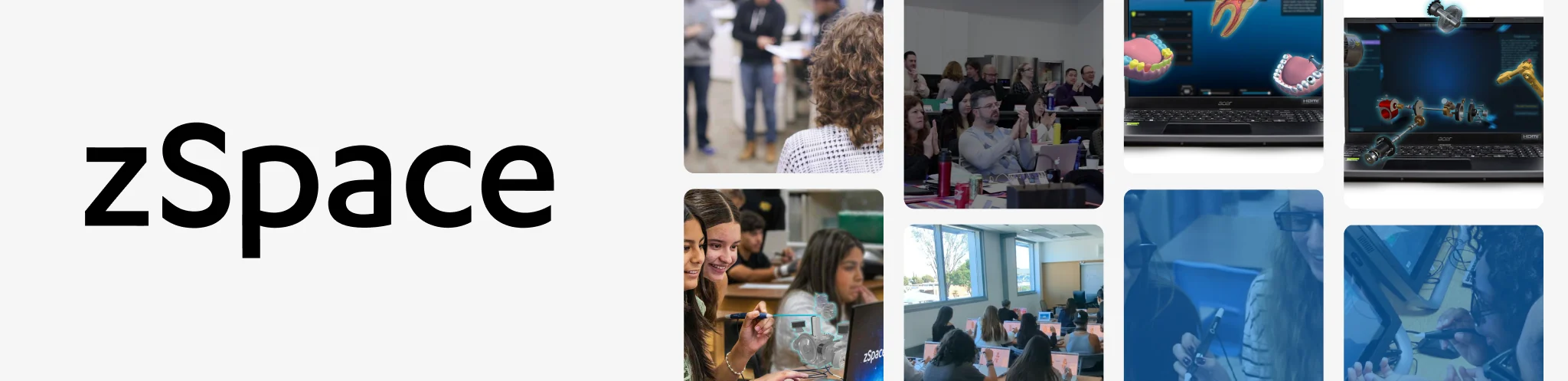
zSpace delivers AR and VR without a head-mounted display, which changes the whole deployment calculation for a district. Immersion is the tradeoff.
Learners grab, rotate and take apart three-dimensional objects using a stylus and a screen. Supervision stays normal, hygiene stops being a procurement issue, and motion sickness disappears as an objection for younger students. Students work seated at a desk, so a class of thirty runs on an ordinary timetable.
The company states that over 2,500 organizations use its systems, among them 94% of the top 100 US school districts. Those deployments cover STEM education, career and technical education and workforce development. Learning spaces are configured per program, which suits CTE labs.
Best for: the district has ruled out headsets and the learning still has to be hands-on.
6. ENGAGE XR

ENGAGE XR owns the synchronous layer, where the product is a shared space instead of a piece of content.
Teaching a distributed cohort together is a different problem from delivering a simulation. The answer is a persistent virtual classroom that a university, a K-12 program or a specialist provider can run on a timetable. Sessions are scheduled like lectures.
Education packages include the Optima Content Pack, a School of AI and a Digital Twin Campus, licensed by user, device or organization. The company states it has over 200 enterprise and education clients globally. VR hardware is optional, and the platform is documented running on Google Chromebooks, which keeps the access floor low.
Best for: the cohort is distributed and the teaching depends on everyone arriving at once.
7. Axon Park
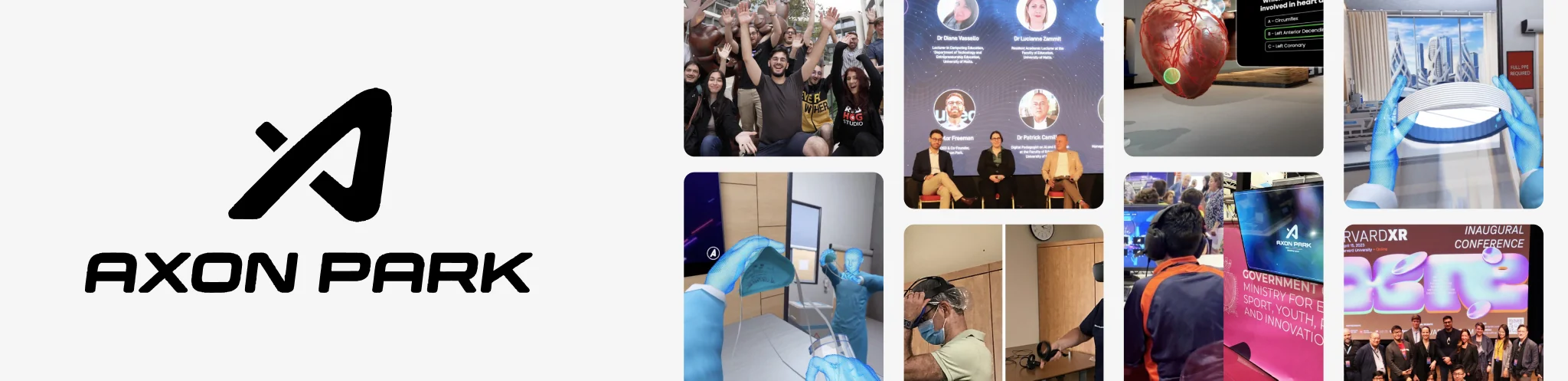
Axon Park pairs an AI-native learning platform with an in-house studio producing curriculum-aligned interactive content for institutions. Institutions can buy the platform, the content service or both.
Nexera is the platform side, running live AI coaching, generative scenarios, 3D simulations, spaced repetition, cited answers and audit-ready records across more than 20 activity types. Fronterra is the younger-learner product, a 3D world built on gamification and learning science.
A shared intelligence layer with a knowledge graph and adaptive paths sits under both, with accessibility, privacy and safety stated as built in. The positioning is AI and interactive learning first, so treat this as a content and delivery partner instead of a headset-first studio.
Best for: the content is produced to a curriculum and instrumented to prove what was learned.
8. ThingLink

ThingLink is the authoring answer for immersive content a catalog will never contain, starting with the places nobody has filmed.
Teachers and instructional designers build annotated 360 scenes, interactive images and immersive courses, then publish them to headsets through ThingLink XR or to any browser. Virtual field trips are a named use case with a product page of their own. Publishing is one step.
ThingLink Capture handles the filming side, and dedicated support for Apple devices and Apple Vision Pro covers scanning, editing and deploying spatial training. Pricing is published separately for K-12, higher education and vocational education, which keeps the entry point low. Most pilots start with a single classroom and a single location.
Best for: the trip that matters is a local site nobody has filmed and a teacher must build it.
9. Nearpod

Nearpod represents the layer most schools already own, which makes it the sensible first stop before any new immersive purchase.
The platform delivers interactive lessons with formative assessment and real-time insight into student responses. Over 22,000 standards-aligned lessons, videos and activities back it, plus AI Create for generating new ones. Districts buy it for reach across every classroom.
Immersive content sits in that library as 360 field trips attached to lessons a teacher already runs, a different proposition from a VR product. The immersion is shallow, and that is the point. Nearpod is free for teachers and sold to districts under a site license, with published integrations and ESSA documentation.
Best for: the immersive moment is one part of a lesson on a platform the district owns.
How to Choose an AR or VR Education Partner
Start with the content question, because it settles the layer. List the five learning experiences that matter most and check each against the catalogs of VictoryXR, ClassVR, Labster and Nearpod. Whatever appears is a licensing decision, and anything missing becomes an authoring project or a commission.
Calibrate against your deployment reality next. A district with no IT support should buy managed hardware or a screen-based system, and a distributed cohort needs a shared space first. Where the goal is a job outcome, vocational specialists such as Transfr fit better and VR training companies take over.
One structural point is easy to miss. Directories and market research publishers dominate the writing about this category, so procurement shortlists get built from list pages instead of delivery evidence. Ask every vendor for a named institution running what you want on the device you intend to buy.
Frequently Asked Questions (FAQs) About AR and VR Education Companies
Q1. What is the difference between an AR VR education company and a general edtech vendor?
An AR VR education company delivers spatial content for headsets or AR-capable devices, while a general edtech vendor delivers software for screens. The practical difference is deployment burden: spatial content needs device management, physical space and teacher training that browser software never requires.
Q2. Which VR education developers build custom learning simulations for a single institution?
Treeview and Axon Park are the two custom builders here. The first delivers built-to-spec mixed reality and spatial applications on Meta Quest and Apple Vision Pro, while the second produces curriculum-aligned content to order. Commission a developer when no accurate simulation exists and the institution needs to own the software.
Q3. Are VR education studios and VR education agencies the same as VR education companies?
Broadly yes. The word choice signals the delivery model more than the capability. Studio and agency point to project work billed per engagement, while company covers that plus the platform and library vendors selling subscriptions. Ask what the unit of purchase is.
Q4. Which companies develop AR apps that overlay interactive content on textbooks?
Very few ship true print-overlay AR, and buyers asking for it receive standalone AR content instead. ClassVR delivers 3D objects viewed in augmented reality and ThingLink delivers annotated media, both of which replace the page. A marker-tracked overlay is a custom project needing a publisher agreement.
Q5. Do schools need a headset for every student?
No. Most classroom deployments run a shared cart of eight to fifteen headsets on rotation. Several platforms remove the requirement entirely: zSpace delivers AR and VR on a stylus-driven screen and ENGAGE XR runs on Chromebooks. Licensing that follows the student makes rotation simpler.
Q6. Can teachers build immersive lessons without hiring a developer?
Yes, and the authoring tools have become genuinely usable. ThingLink assembles annotated 360 scenes with no code, and Nearpod generates lessons from existing material. The real constraint is teacher time.
Q7. Do educational VR companies support Chromebooks, tablets and laptops?
Many do, and confirming it before a hardware purchase saves money. ENGAGE XR publishes Chromebook installation guidance, VictoryXR runs on Windows and Mac, and Nearpod is screen-native, so headset-only delivery is now the exception among classroom platforms.
Q8. Does VR in education work for K-12 as well as universities?
Both, with different products. K-12 buying centers on managed hardware, teacher control and curriculum alignment, which is why ClassVR, zSpace and Nearpod dominate that conversation. Higher education buys by department, so mapped courseware from Labster and shared spaces from ENGAGE XR fit better.
Q9. Who owns the content when an institution commissions custom XR education software?
Ownership depends on the contract, and it is the term worth negotiating hardest. A commissioned build normally transfers the application, its source and its assets to the institution, while a subscription grants access for the license term only. Settle intellectual property before scoping begins.
Q10. How do institutions prove that immersive learning changed outcomes?
Through instrumented delivery and a comparison group. Labster publishes efficacy research, Axon Park produces audit-ready records, and Nearpod captures formative assessment inside each lesson. Agree the measure and the baseline before the pilot starts, because retrofitted evidence convinces nobody.